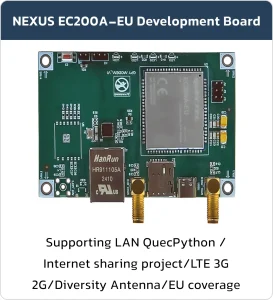

NEXUS EC200A-EU Modem
Basic Overview #
Meet a compact, rugged modem built for M2M and IoT projects where reliability, performance, and ease-of-integration matter — now available with built-in Python support for fast prototyping and flexible device logic.
Features #
- Cellular performance: LTE Cat 4 — up to 150 Mbps downlink / 50 Mbps uplink (3GPP Rel.9). Backward compatible with UMTS/HSPA+ and GSM/GPRS/EDGE for broad global coverage and reliable fallback in remote areas.
- Global variants: Available in CN / EU / AU band variants to match regional frequency plans.
- Hardware compatibility: Compact, unified form factor compatible with Quectel EC25/EC21/EC20-CE/EG25-G/EC200U and UC200T families for easy migration and design reuse.
- MIMO support: Improves throughput and link reliability for demanding data applications.
- Durable design: Laser-engraved housing — better heat dissipation, a durable label, and a premium metallic finish suited to industrial use.
- Over‑the‑air updates: Supports Delta Firmware OTA (DFOTA) for efficient field upgrades.
Function Description #
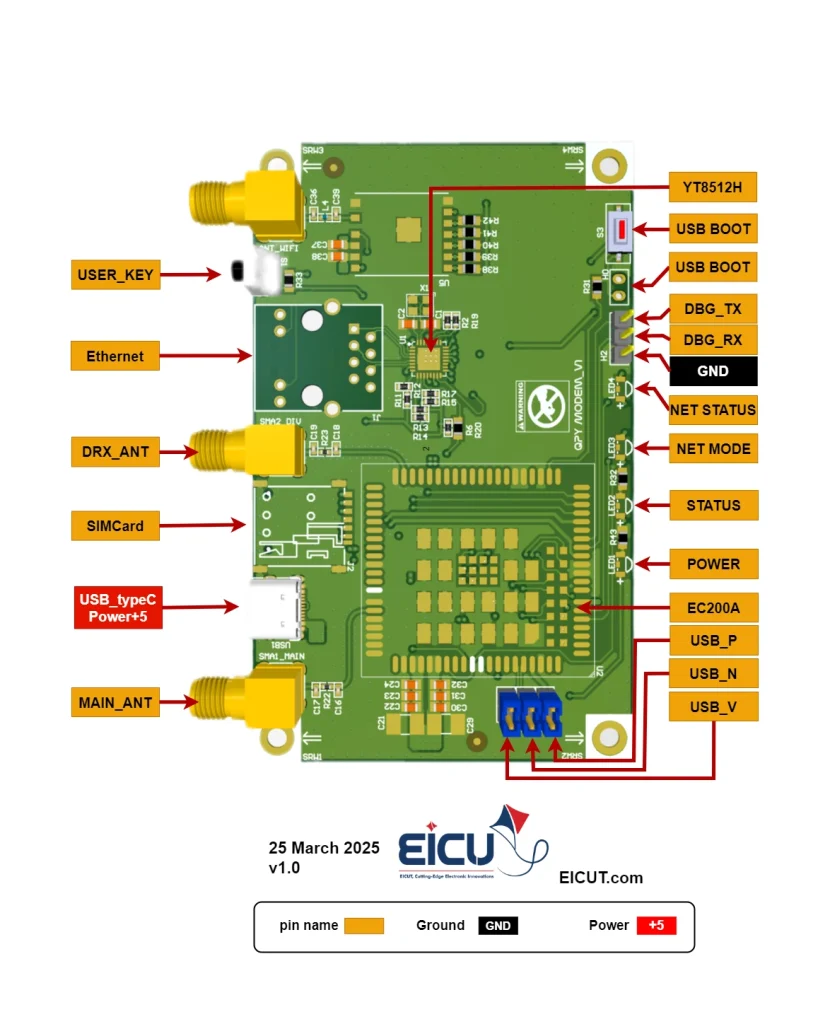
| NO. | Name | Silkscreen | Comment |
|---|---|---|---|
| 1 | USER_KEY | S1 | Scheduling capability |
| 2 | Ethernet | J1 | Ethernet connector |
| 3 | DRX_ANHT | SMA2_DIV | Sma connector |
| 4 | SIM Card | SimCard | Simcard case |
| 5 | USB_type_C/POWER+5 | USB1 | Power and data |
| 6 | MAIN_ANT | SMA1_MAIN | Sma connector |
| 7 | USB_V | J3 | USB debug |
| 8 | USB_N | J5 | USB debug |
| 9 | USB_P | J6 | USB debug |
| 10 | POWER | LED1 | LED indicator |
| 11 | STATUS | LED2 | LED indicator |
| 12 | NET MODE | LED3 | LED indicator |
| 13 | NET STATUS | LED4 | LED indicator |
| 14 | GND | H2 | ground |
| 15 | DBG_RX / DBG_TX | H2 | Debug port |
| 16 | USB_BOOT | H0 | programming mode |
| 17 | USB_BOOT | S3 | programming mode |
| 18 | YT8512H | U1 | FAST ETHERNET TRANSCEIVER |
Functional Indication LEDs
- POWER: Indicates that the evaluation board is powered on and receiving stable voltage.
- STATUS: Indicates the module’s operation status.
- NET MODE: Indicates the current registered network type
- NET STATUS: Indicates the module’s network activity status.
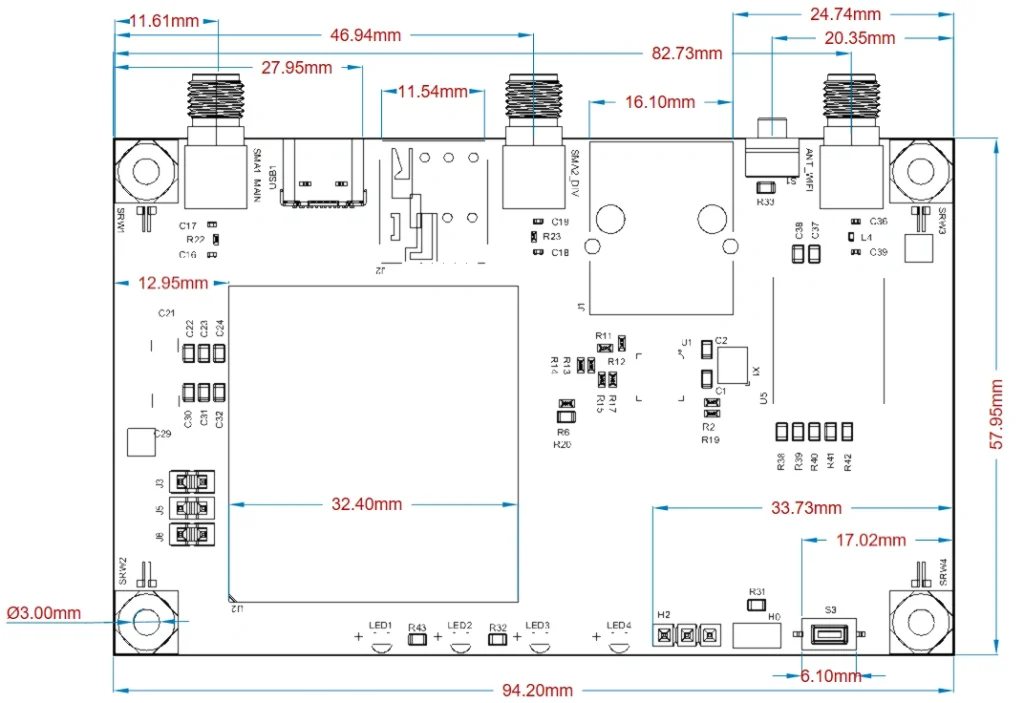
Board Dimensions #
What is QuecPython? #
QuecPython is a new platform from Quectel that uses MicroPython and allows programming Quectel’s IoT modules in Python. Its main goal is to help complete projects faster. Below is a list of modules that support this platform, which you can review:
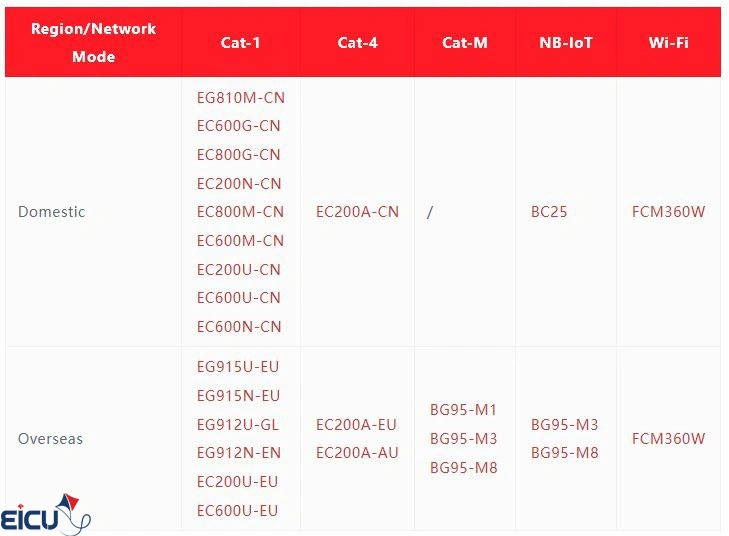
Among the good features of this platform, one can point to support for various Quectel modules, diverse pre-built drivers, support for various communication protocols, and more. Additionally, like previous platforms, it has complete and comprehensive documentation. You can review more information about QuecPython from here.
Setting Up QuecPython #
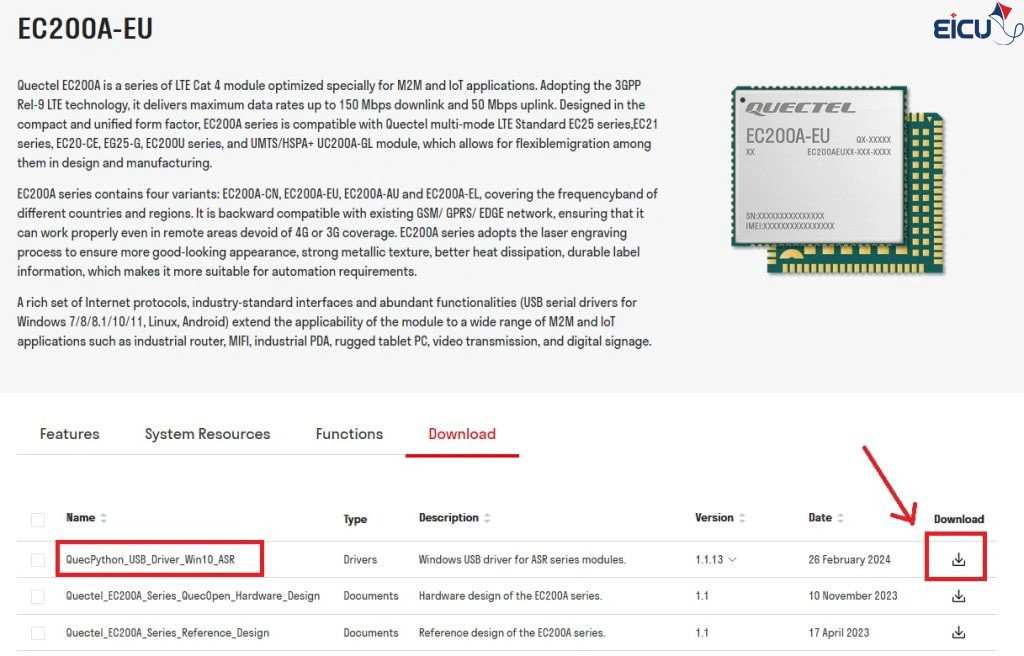
To get started, we need to select a module and proceed with it. We are using the EC200A module and the Quectel EC200A module evaluation board, both of which you can purchase from the EICUT store. After that, it is necessary to download the driver for the EC200A module. To do this, go to the module’s information page on the QuecPython website, and from the downloads section, download the latest version of the driver and then install it.
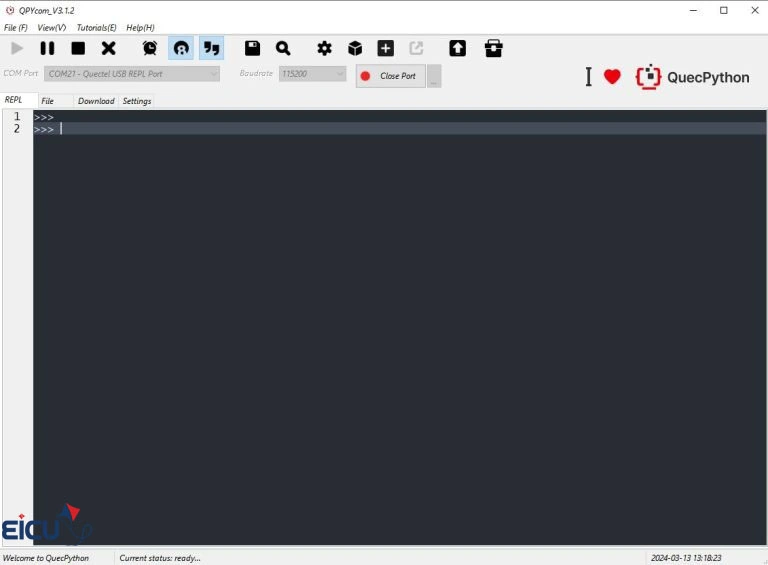
The next step is to install the QPYcom software, which you should download from this link. This software is used for updating the module’s firmware, debugging, transferring files to the module, and more. Below is an image of the software’s interface:
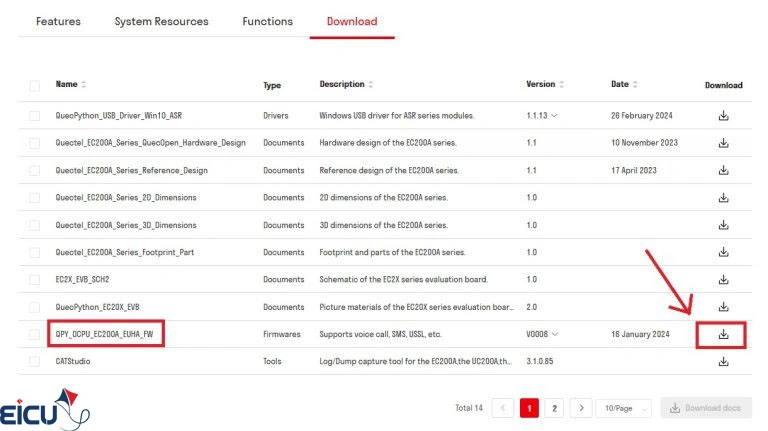
Now, using this software, we need to program the QuecPython firmware onto the module. To do this, go back to the EC200A module page on the website and download the module’s firmware.
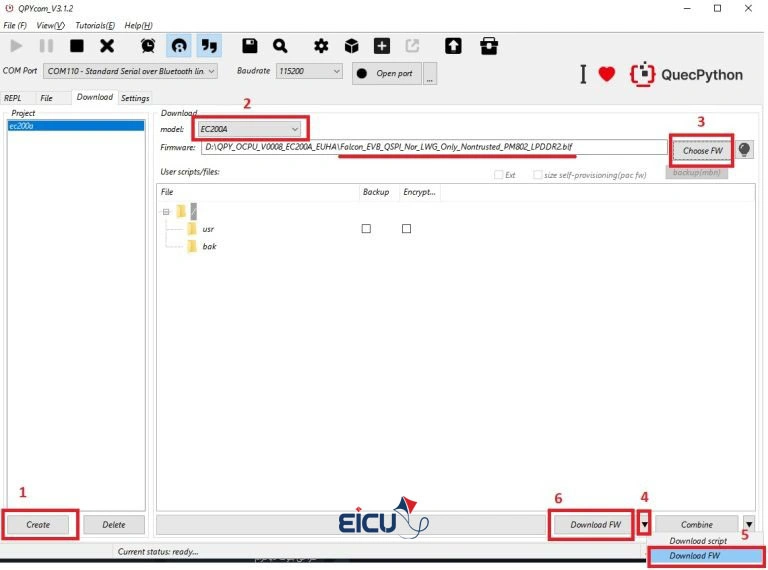
Now, open the QPYcom software and go to the Download tab, then follow the steps below. Note that to select the firmware, you must first extract the downloaded firmware file from its compressed state and then select the file with the .blf extension. Also, after clicking the Download FW button, you need to reset the module for the download to start.
After the download is complete, go to the REPL tab and follow the steps below. Note that in the COM Port section, you should select the Quectel USB REPL Port, whose number may vary depending on your system.
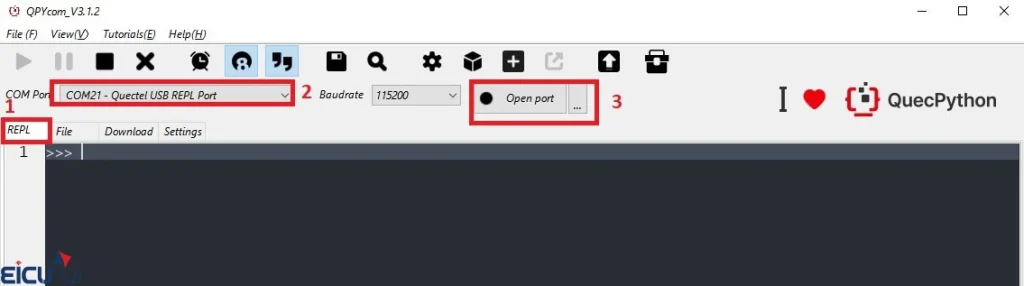
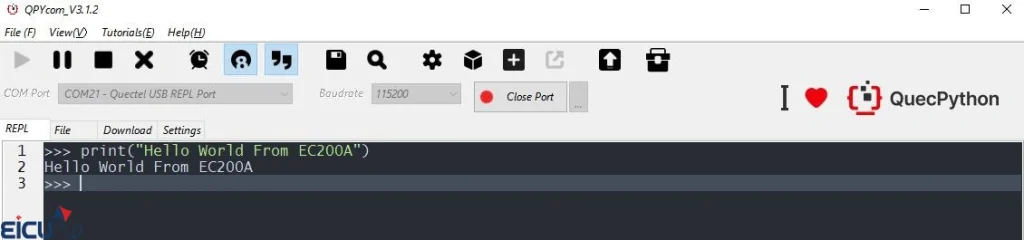
After opening the port, in the gray terminal environment, we can enter our Python commands. By pressing Enter, the commands are executed by the module, and the output is displayed to us. To start, we use Hello World.
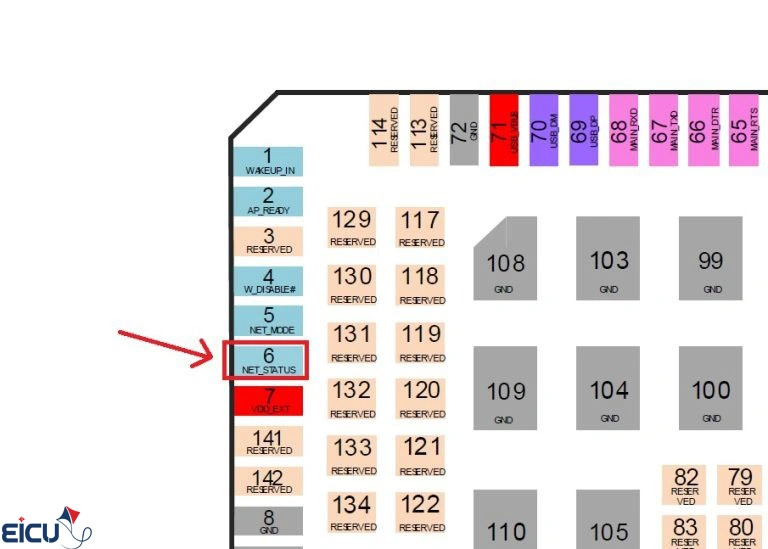
Now, let’s move on to controlling the status of one of the LEDs on the board that is connected to the NET_STATUS pin. To do this, first check the EC200A Hardware Design document to see which pin number NET_STATUS corresponds to on the module. Here, it is connected to pin 6.
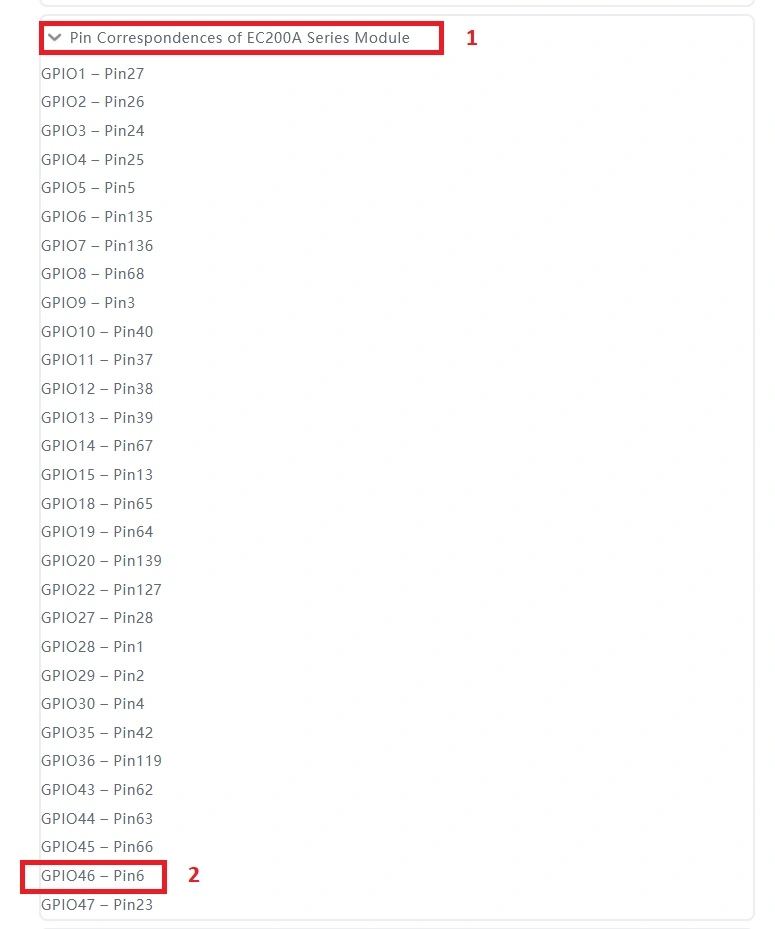
Now, within this link, we examine that pin 6 of the module is recognized as which GPIO, which here is GPIO46.
Now, using the code snippet provided lower down on the same page, namely this one.
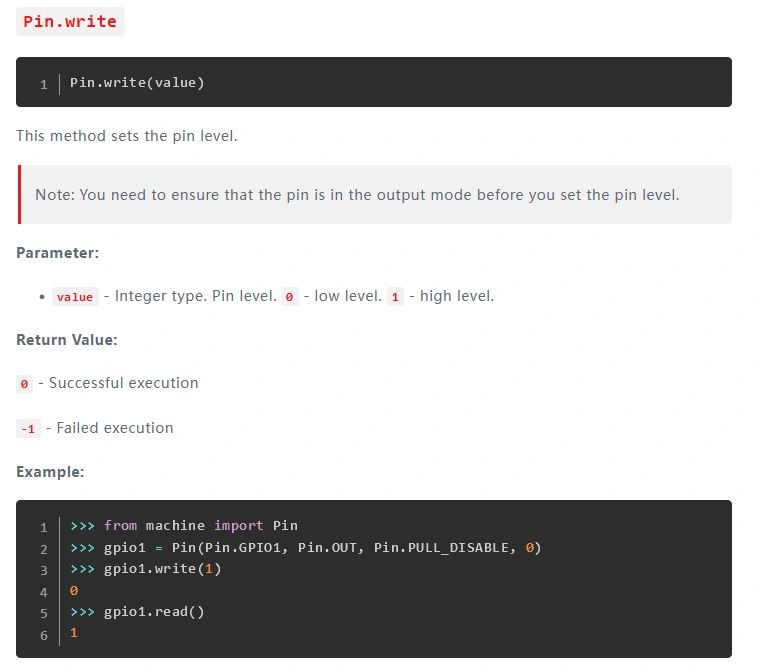
We wrote this code to be able to manually change the NET_STATUS state.
QuecPython Code #
|
1 2 3 4 5 |
from machine import Pin gpio1 = Pin(Pin.GPIO46, Pin.OUT, Pin.PULL_DISABLE, 0) gpio1.write(1) sleep 1 gpio1.write(0) |
FAQ #