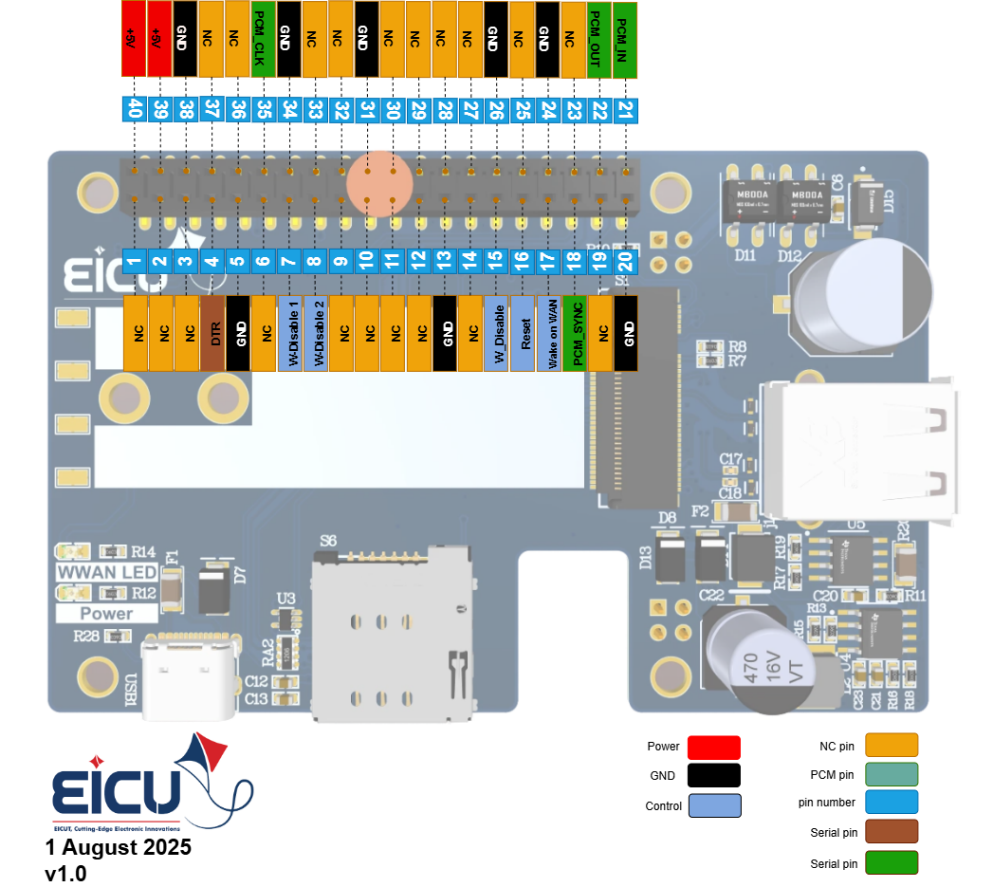
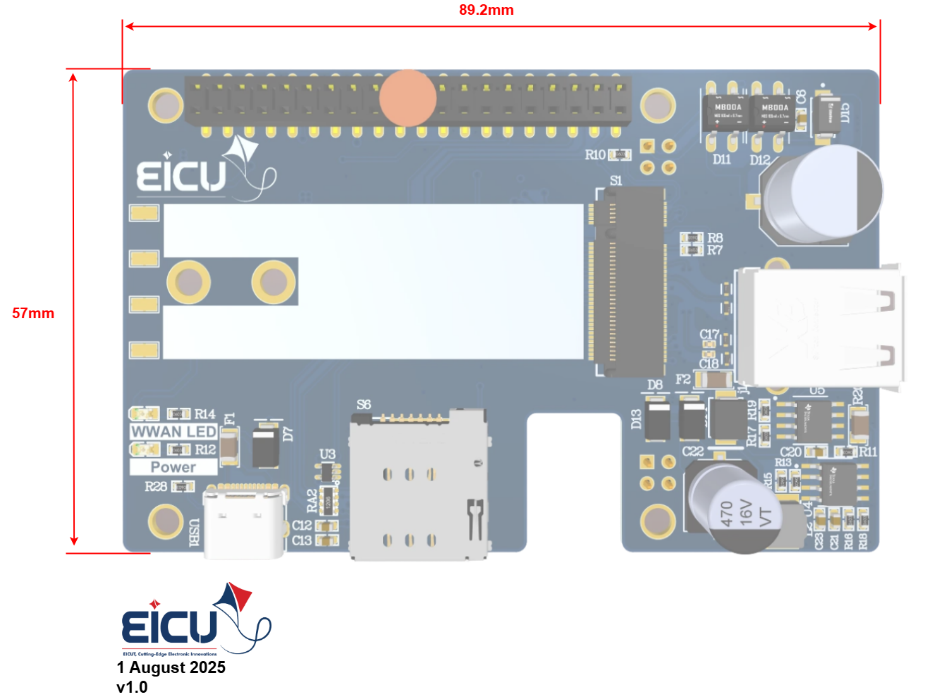
The M.2 HAT is a versatile interface board designed for connecting M.2 modules and sharing data over USB. While it follows the Raspberry Pi pinout for seamless integration, it can also be used as a standalone board or with other similar platforms. In addition, processor interface pins allow direct control of the M.2 module.
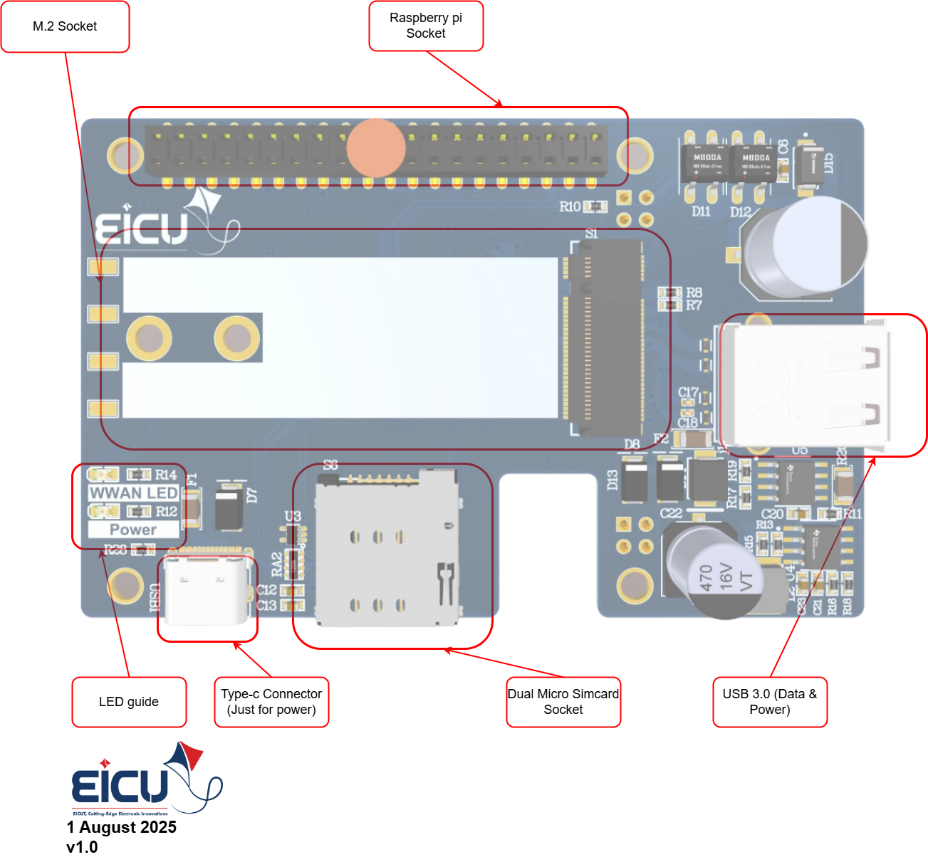
Powerful 3A regulator for reliable M.2 module power supply
Status LEDs for module activity indication
USB Type-C connector for power input
USB 3.0 Type-A socket for data sharing
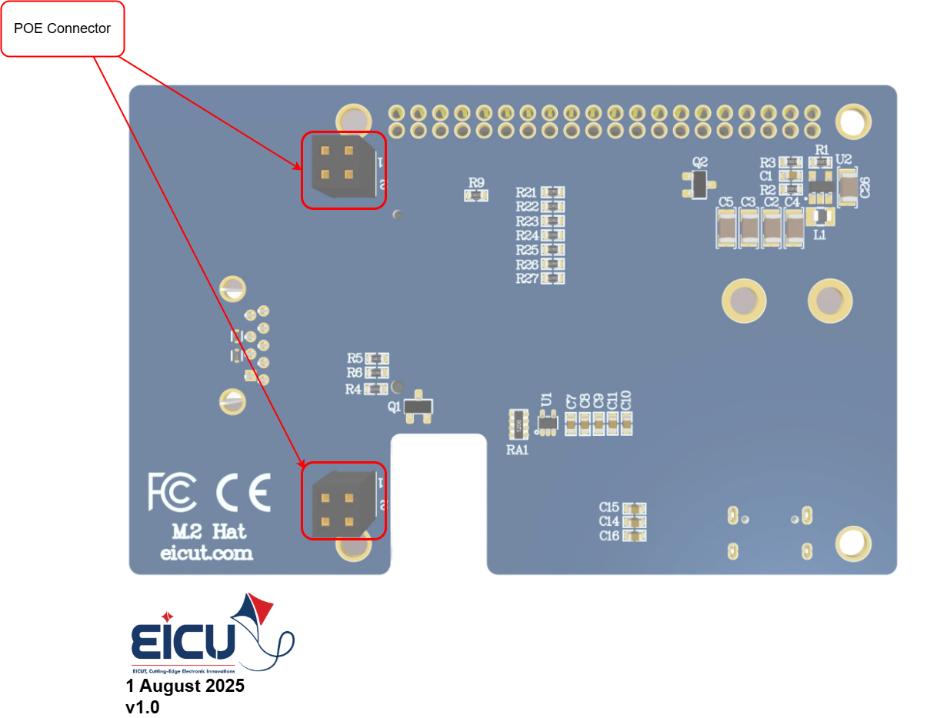
Power over Ethernet (PoE) Class 4 circuit compliant with IEEE 802.3af/at standard, providing up to 25.5 W of power to the board through a single Ethernet cable
A versatile interface board designed to connect M.2 modules and share data over USB. It follows the Raspberry Pi pinout for seamless integration but can also be used as a standalone board or with other platforms.
Is it compatible with Raspberry Pi?
Yes — it uses the standard Raspberry Pi HAT pinout, allowing direct stacking on Raspberry Pi boards. Processor interface pins also enable direct control of the M.2 module.
Can it be used as a standalone board?
Yes — the M.2 HAT works independently without a Raspberry Pi, making it suitable for custom platforms or standalone M.2 module testing and deployment.
What power options does the board support?
• USB Type-C (power input only)
• Power over Ethernet (PoE) Class 4 — IEEE 802.3af/at compliant, delivering up to 25.5 W through a single Ethernet cable
Does it have a SIM card slot?
Yes — it includes a Micro SIM card socket, making it ideal for cellular M.2 modules that require a SIM for network connectivity.
How does data sharing work?
The board provides a USB 3.0 Type-A socket for high-speed data sharing between the M.2 module and a host computer or other devices.
What power capacity is available for the M.2 module?
A powerful onboard 3A regulator ensures reliable and stable power supply for demanding M.2 modules.
Are there status indicators on the board?
Yes — dedicated status LEDs provide visual feedback on module activity and board status.
What is the main purpose of this board?
It simplifies the integration of M.2 cellular, storage, or other modules into Raspberry Pi projects or custom systems by providing power, SIM support, USB data interface, and optional PoE powering.
Does the USB Type-C provide data connectivity?
No — the USB Type-C connector is for power input only. High-speed data sharing is handled through the separate USB 3.0 Type-A socket.